

Developer Portal
The Developer Portal provides programmatic access to VTrade’s market data, trading engine, and portfolio management capabilities via a RESTful API. Build automated trading strategies, custom analytics dashboards, external alert systems, or integrate VTrade functionality into third-party applications.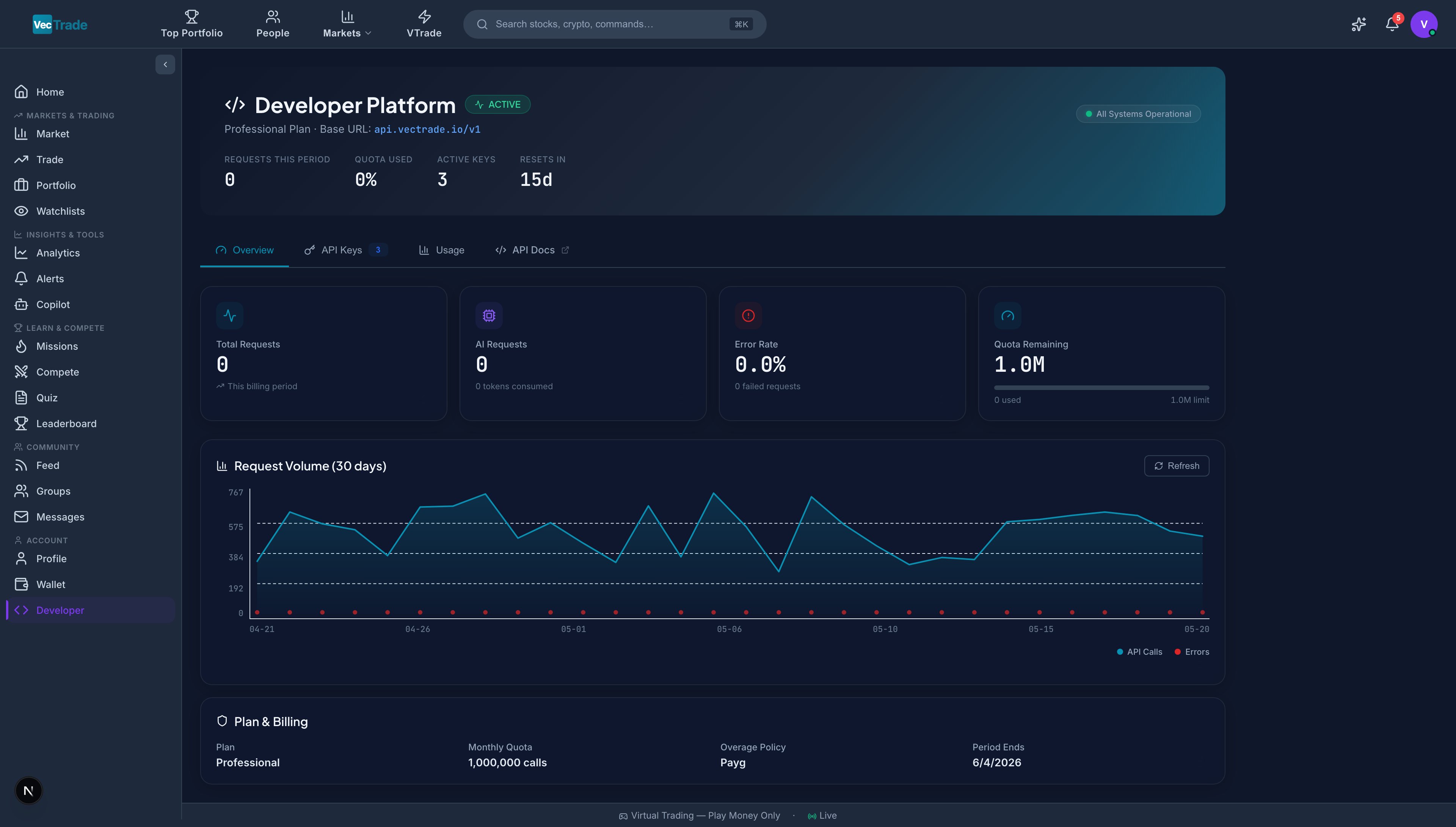
Access Requirements
Navigate to VTrade → Developer from the left sidebar.The Developer Portal is free for all accounts. Create an API key instantly after sign-up — no subscription required. Higher rate limits and premium data are available on paid plans.
Subscription Tiers & API Entitlements
Overview Dashboard
The Overview tab provides at-a-glance operational intelligence about your API usage, health status, and consumption trends.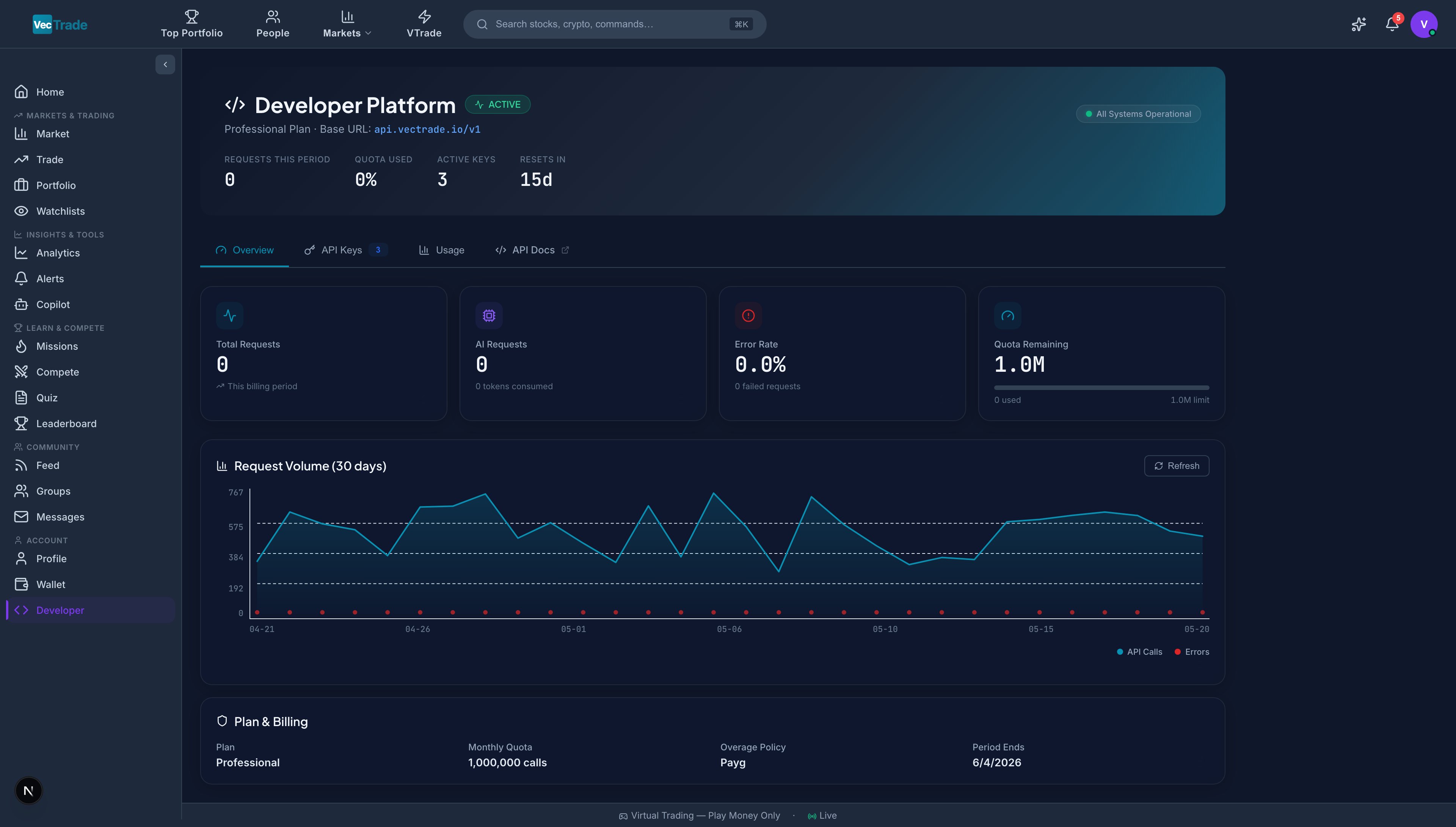
Summary Metrics
30-Day Usage Chart
An interactive line/bar chart displaying daily request volumes over the past 30 days:- Primary axis: Total requests per day (bar chart)
- Secondary axis: Error count per day (line overlay, red)
- Hover tooltip: Date, total requests, success count, error count, avg. latency
- Trend line: 7-day moving average to identify usage patterns
Health Status Indicators
API Key Management
API keys authenticate all programmatic requests to VTrade’s API. Each key is a unique credential that should be treated with the same security as a password.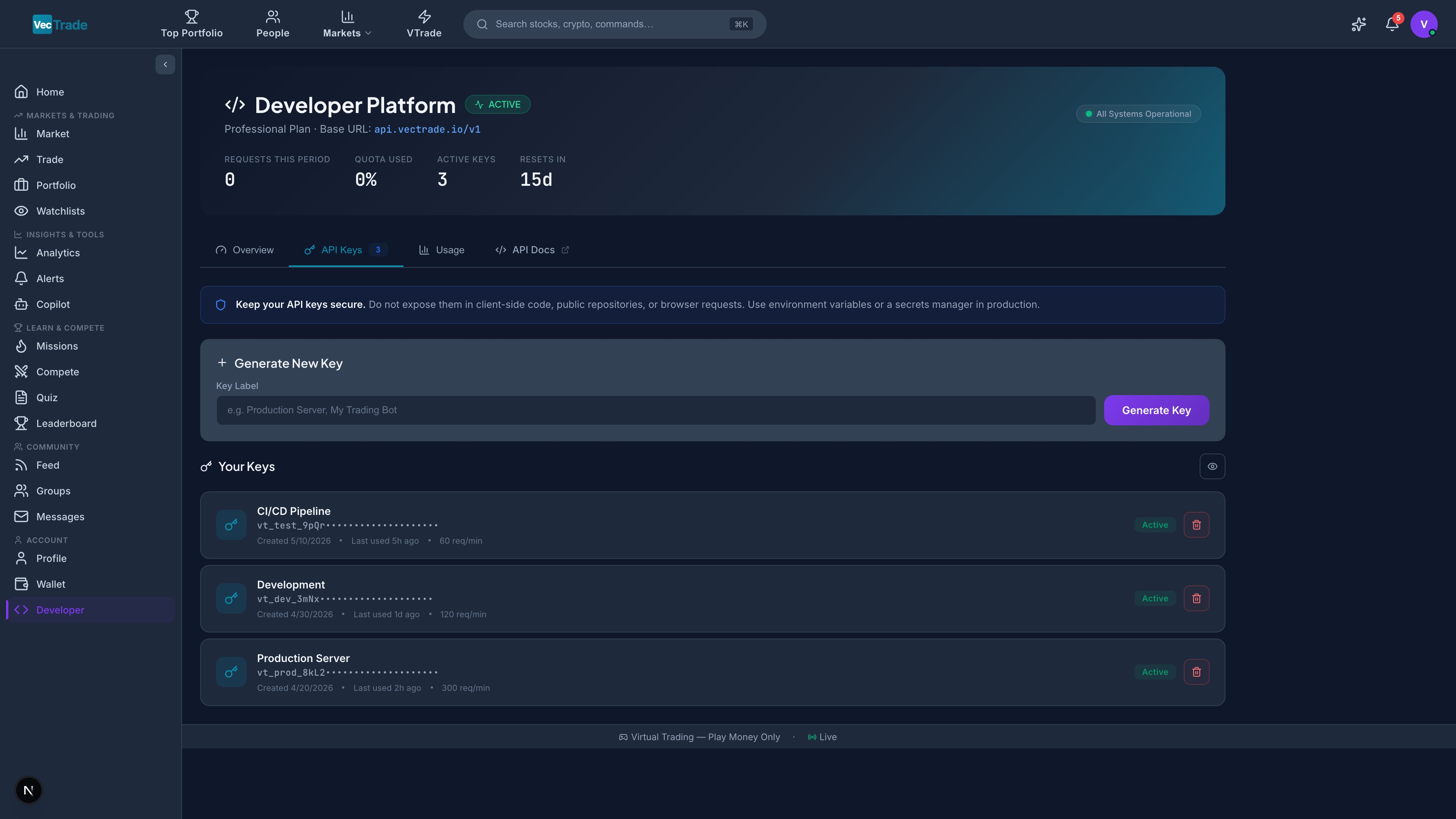
Key Architecture
VTrade API keys follow the format:vtrd_live_ followed by 48 alphanumeric characters.
- Prefix:
vtrd_live_(identifies the key as a VTrade production credential) - Payload: 48-character cryptographically random string
- Example:
vtrd_live_a1b2c3d4e5f6g7h8i9j0k1l2m3n4o5p6q7r8s9t0u1v2w3x4
Creating a New API Key
- Navigate to the API Keys tab
- Click + Create API Key
- Enter a label — a human-readable identifier describing the key’s purpose:
- Best practice: Name by project/application (e.g., “Trading Bot - Production”, “Dashboard - Staging”, “Alert System”)
- Optionally select permissions (if your plan supports scoped keys):
- Read Only (market data + portfolio queries)
- Read + Write (includes order placement and modification)
- Full Access (all endpoints including account management)
- Click Generate
- The full key is displayed exactly once in a copy dialog
Key Storage Best Practices
API Keys Table
Revoking an API Key
If a key is compromised, no longer needed, or being rotated:- Locate the key in the table
- Click Revoke
- Confirm the action in the dialog (this is irreversible)
- Immediate effect: All subsequent requests using this key receive
401 Unauthorized - The key remains in the table (grayed out, marked “Revoked”) for audit purposes
Key Rotation Workflow
Recommended procedure for rotating API keys without downtime:- Create a new key with the same label + “(v2)” suffix
- Update your application configuration to use the new key
- Verify the new key works correctly (make a test API call)
- Revoke the old key
- Monitor for any 401 errors that indicate missed configuration points
Usage Analytics
The Usage tab provides comprehensive API consumption analytics, helping you monitor request patterns, identify errors, and optimize your integration.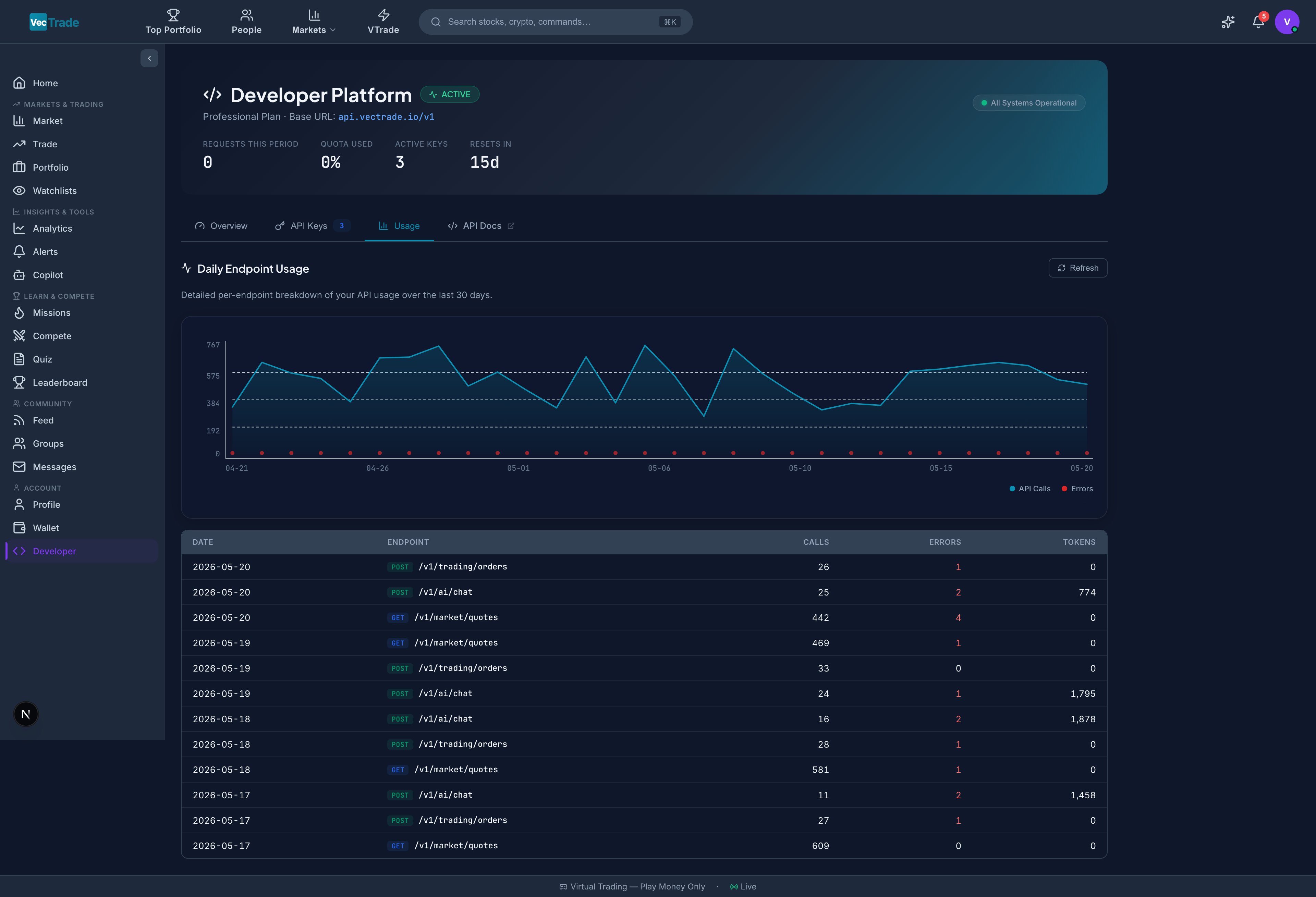
Usage Chart (Interactive)
A configurable chart displaying request metrics over time: View Options:
Time Range: Last 24 hours, Last 7 days, Last 30 days, Custom range
Daily Breakdown Table
Error Analysis
A dedicated error breakdown panel showing:- Error code distribution — Pie chart of 400, 401, 403, 404, 429, 500 responses
- Recent errors — Table of last 50 error responses with timestamp, endpoint, status code, and error message
- Error trend — Is your error rate increasing, stable, or decreasing?
Rate Limit Monitoring
Real-time rate limit telemetry:
Rate Limit Response:
When you exceed your per-minute rate limit, the API returns:
Authentication
All API requests must include your API key in the Authorization header using the Bearer token scheme:Quick Start Examples
cURL — Get a Stock Quote
cURL — Place a Limit Order
cURL — Get Portfolio Positions
Python SDK
TypeScript / Node.js SDK
API Endpoint Reference (Summary)
Webhook Integration (Coming Soon)
VTrade will support outbound webhook notifications for real-time event delivery:- Order status changes (filled, cancelled, rejected)
- Price alert triggers
- Portfolio threshold alerts (drawdown, target return)
- Competition status updates