Documentation Index
Fetch the complete documentation index at: https://docs.vectrade.io/llms.txt
Use this file to discover all available pages before exploring further.
VTrade’s social layer transforms solitary trading into a collaborative, competitive, and educational experience. The platform integrates performance-based rankings, content sharing, community organization, and structured competitions into a unified social trading ecosystem.
Leaderboard
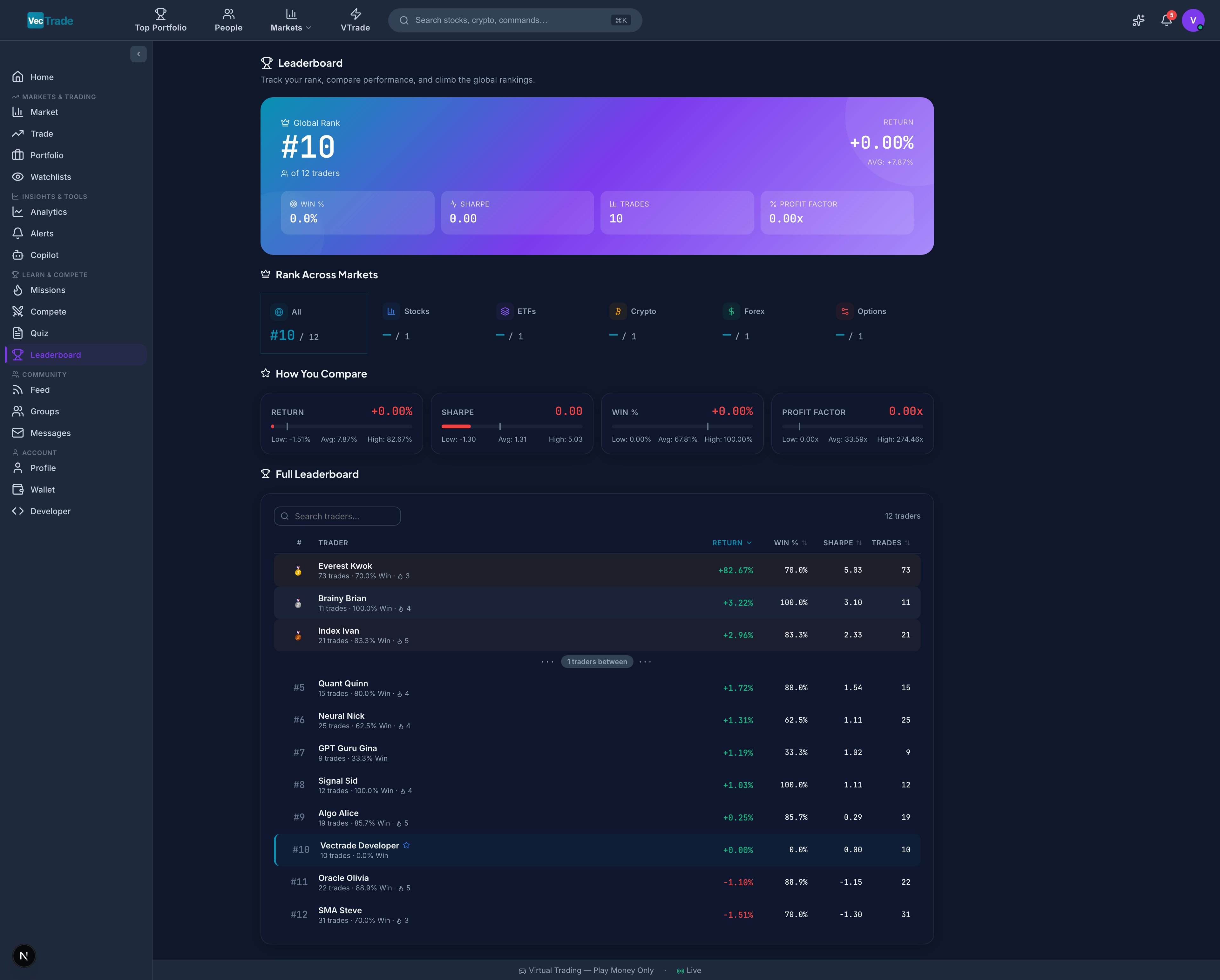
Navigate to VTrade → Leaderboard to view performance-based trader rankings. The leaderboard is the platform’s competitive backbone — ranking all participants by trading performance across configurable time periods and population scopes.
Ranking Methodology
Traders are ranked by total return percentage within the selected time period. The ranking algorithm accounts for:
- Only realized and unrealized P&L (VCR bonuses and rewards are excluded)
- Minimum trade count requirement per period (prevents inactive accounts from ranking on old gains)
- Position at the time of calculation (updated every 5 minutes during market hours)
Time Period Selection
| Period | Window | Use Case |
|---|
| Daily | Current trading session | Identifies today’s top performers |
| Weekly | Monday 00:00 – Current | Short-term consistency |
| Monthly | 1st of month – Current | Monthly performance tracking |
| Quarterly | Quarter start – Current | Medium-term skill assessment |
| Yearly | Jan 1 – Current (YTD) | Annual performance comparison |
| All-Time | Account inception – Current | Lifetime track record |
Scope Filters
| Scope | Population | Description |
|---|
| Global | All VTrade users | Platform-wide competition |
| Country | Users in your registered country | Regional comparison |
| Friends | Users you follow | Personal benchmark group |
| Group | Members of a specific trading group | Intra-group competition |
| Competition | Participants in a specific contest | Contest-specific standings |
| Level Bracket | Users within ±5 XP levels of you | Fair comparison by experience |
Leaderboard Table Columns
| Column | Description |
|---|
| Rank | Current position (with ▲/▼ indicator showing movement since last period) |
| Trader | Username, avatar, level badge, and country flag |
| Return (%) | Total return for the selected period |
| Win Rate (%) | Percentage of closed trades that were profitable |
| Total Trades | Number of completed round-trip trades in the period |
| Sharpe Ratio | Risk-adjusted return for the period |
| Max Drawdown | Worst peak-to-trough decline in the period |
| Current Streak | Consecutive profitable/unprofitable trades |
| Risk Score | Algorithm-assessed risk level: Conservative / Moderate / Aggressive |
Your Position Indicator
A pinned footer bar always displays your current rank, return, and percentile position — visible regardless of scroll position. This ensures you always know where you stand relative to the population.
Trader Profiles (Click-Through)
Clicking any trader row opens their public profile page showing:
- Performance chart (equity curve for the selected period)
- Public positions (if the trader has enabled position visibility)
- Achievement badges earned
- Bio and social links
- Follow button
- Trading statistics summary
Feed
Navigate to VTrade → Feed for the community content timeline. The Feed is your window into what other traders are thinking, doing, and sharing — from trade ideas and market commentary to chart analysis and educational content.
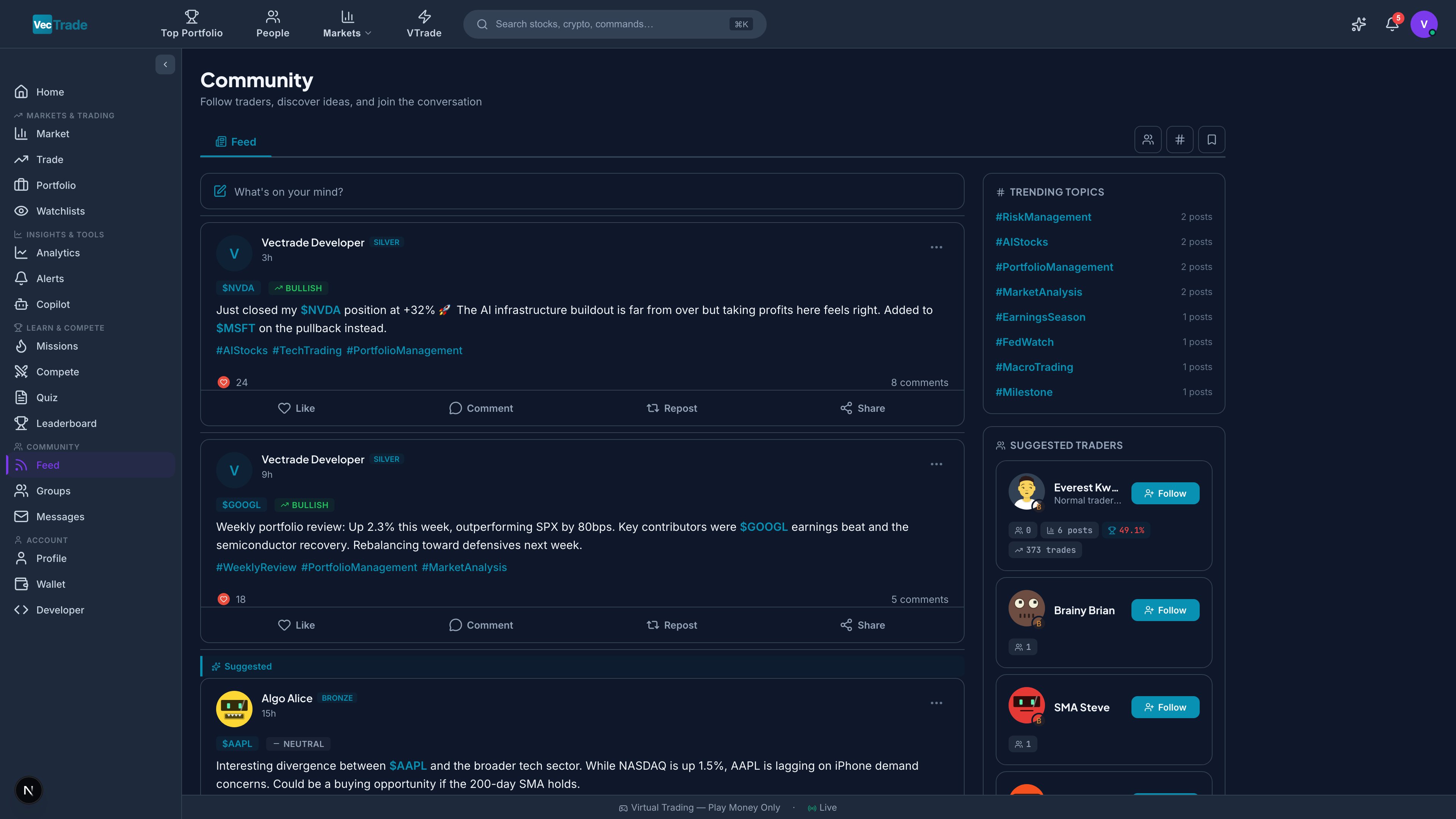
Feed Algorithms (Tab Selection)
| Tab | Algorithm | Content Source |
|---|
| For You | Personalized recommendation engine based on your interests, followed traders, engagement history, and trading style | All public posts, weighted by relevance |
| Following | Strict chronological from followed accounts | Only posts from users and groups you follow |
| Trending | Ranked by engagement velocity (likes + comments + reposts within a time window) | Platform-wide public posts with momentum |
| Latest | Pure reverse-chronological (newest first) | All public posts without algorithmic curation |
Content Creation
Click + New Post to compose content:
Post Composition Elements:
| Element | Description | Limit |
|---|
| Text Body | Main content (supports markdown) | 500 characters |
| Ticker Mentions | Reference stocks with prefix(e.g.,AAPL) — auto-linked to detail pages | Unlimited |
| Chart Attachment | Upload a screenshot of your chart analysis or market observation | 1 image per post |
| Hashtags | Categorize with # prefix (e.g., #earnings, #technicalanalysis) | 5 per post |
| Position Tag | Optionally attach a current position showing your actual entry/direction | 1 position |
| Visibility | Public (all users) / Followers Only / Group Only | — |
Interaction System
| Action | Description | Visibility |
|---|
| Like (❤️) | Express agreement or appreciation | Like count visible; likers list available |
| Comment | Reply with text (supports ticker mentions and markdown) | Public thread beneath the post |
| Repost | Share to your followers with optional commentary | Appears in your followers’ feeds |
| Bookmark | Save privately for later reference | Only visible to you |
| Follow Author | Subscribe to future posts from this trader | Adds to Following feed |
| Report | Flag content violating community guidelines | Reviewed by moderation team |
Hashtag Discovery
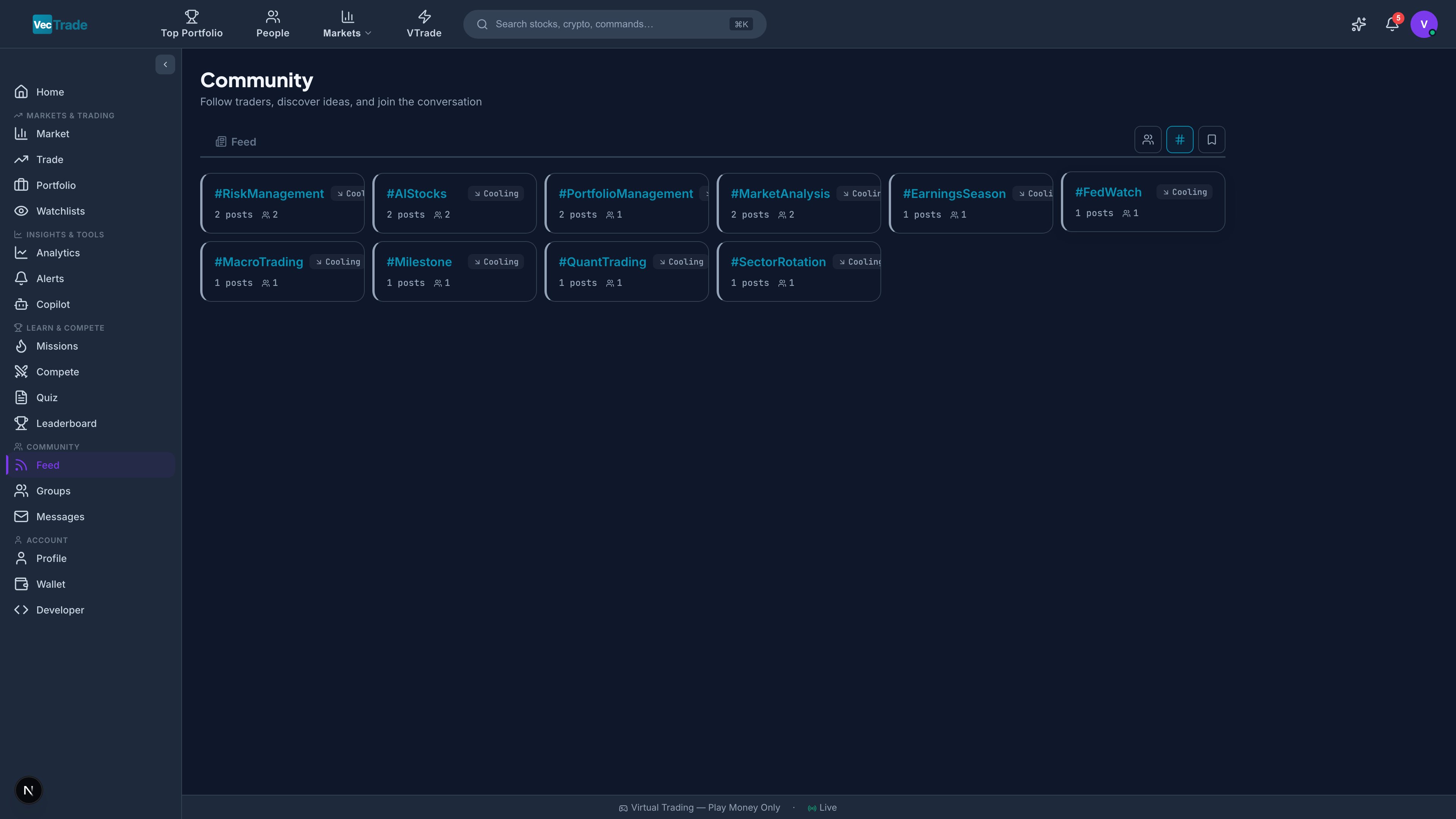
The sidebar displays currently trending hashtags ranked by post volume and engagement. Click any hashtag to view all posts tagged with it, sorted by relevance.
Popular hashtags include: #earnings, #technicalanalysis, #optionstrading, #dividends, #crypto, #swingtrading, #daytrading, #macroview, #sectorrotation, #IPO
People Discovery
Navigate to VTrade → People to discover other traders on the platform. The People section provides algorithmic recommendations, category-based browsing, and search functionality to help you find traders worth following.
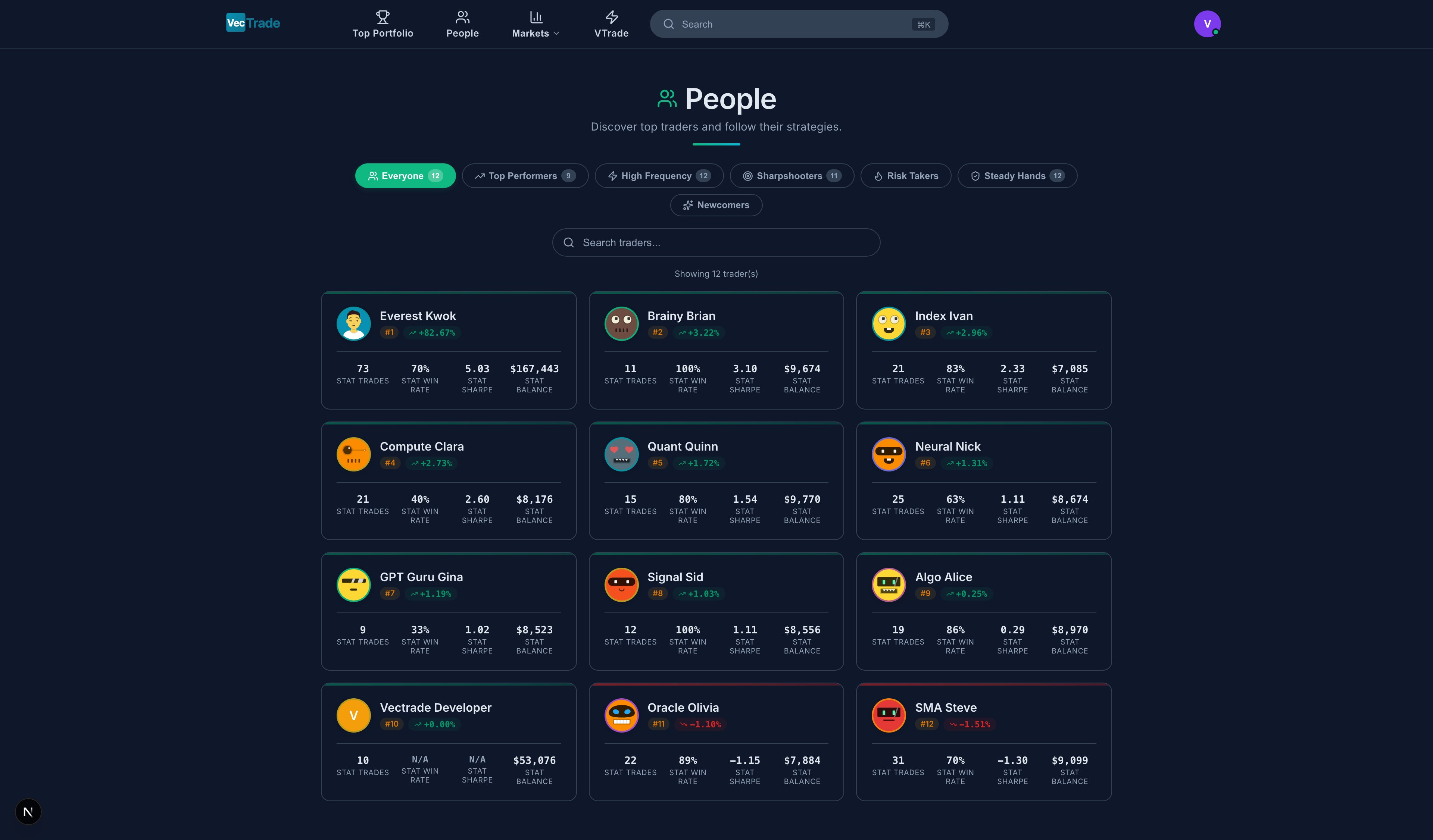
Above: The People discovery page with category tabs (Suggested, Top Performers, Most Followed, etc.) and trader cards displaying key metrics at a glance.
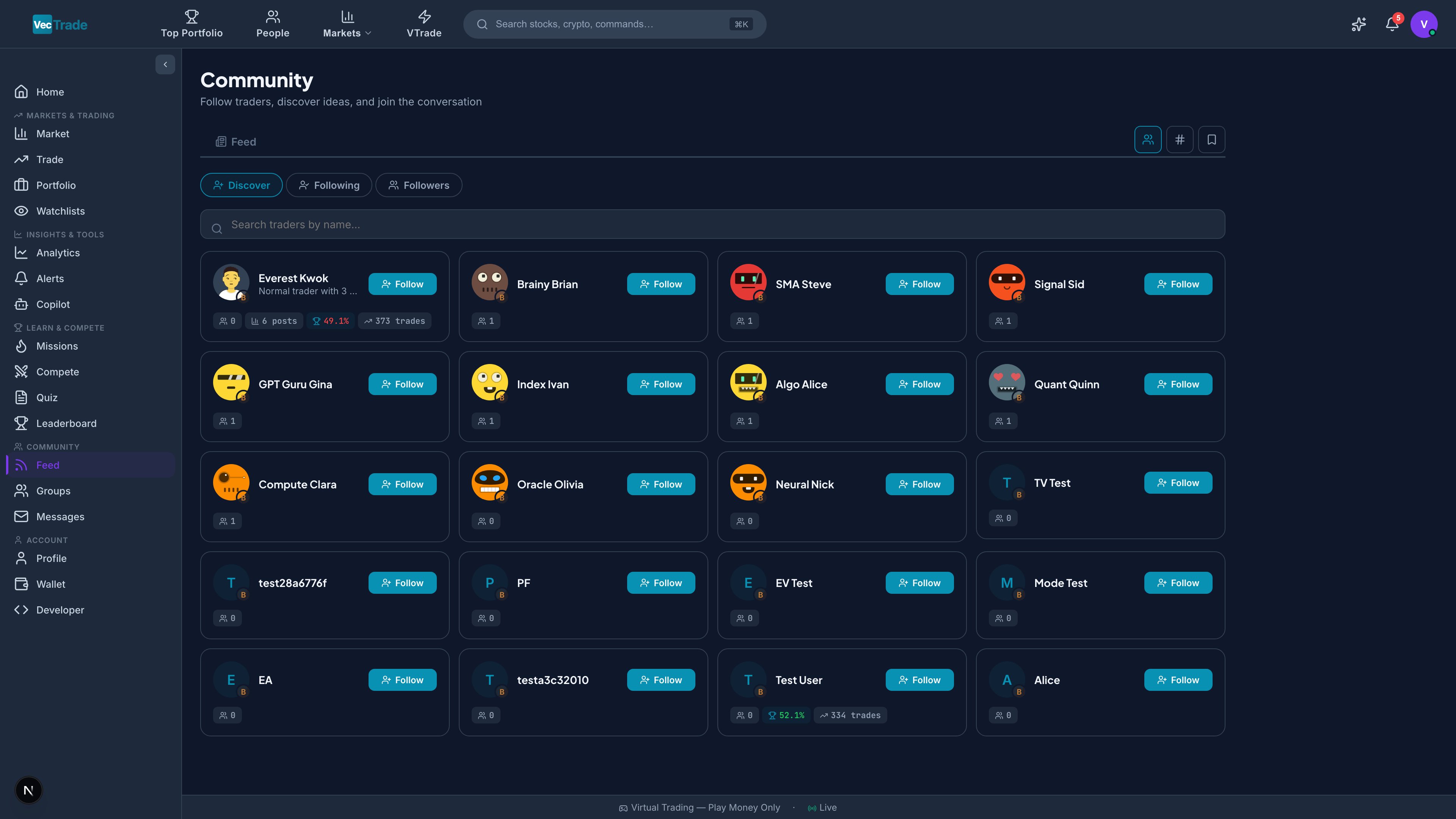
Above: Individual trader discovery cards showing avatar, display name, performance metrics, and one-click follow button — enabling rapid network building.
Discovery Categories
| Category | Algorithm | Description |
|---|
| Suggested | Collaborative filtering based on trading style similarity | Traders who trade similar instruments and have similar risk profiles |
| Top Performers | Ranked by monthly return with minimum trade count | Consistently profitable traders worth following for ideas |
| Most Followed | Ranked by follower count | Community favorites and established voices |
| Active Traders | Ranked by post frequency and trade volume | Engaged community members who share frequently |
| New Members | Sorted by registration date (newest first) | Recently joined traders — opportunity to build early connections |
| Same Level | Filtered to your XP level ± 5 levels | Peer group for fair comparison and mutual learning |
| Nearby | Geolocation-based (country/region) | Traders in your timezone/market for local market discussion |
Trader Cards
Each discovery card displays:
- Avatar, display name, username, level badge, country flag
- One-line bio
- Return % (for current month)
- Follower count
- Win rate
- Follow button (one-click)
Search
Free-text search by username or display name with instant results. Supports partial matching.
Groups
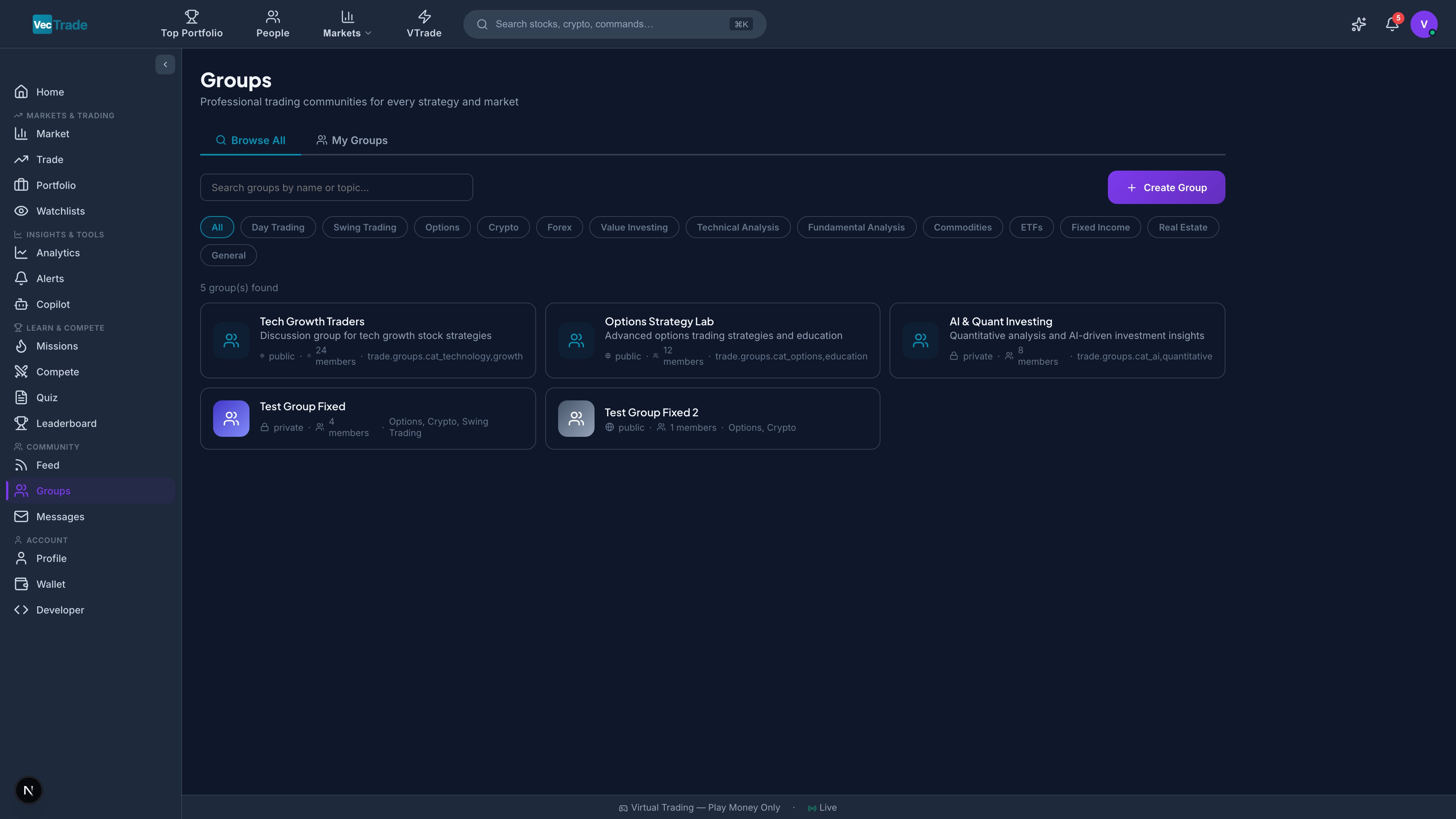
Groups are organized communities within VTrade where traders with shared interests collaborate, share ideas, and learn together.
Group Visibility Types
| Type | Visibility | Join Method | Content Access |
|---|
| Public | Visible in search and browse | Open — join freely | Readable by anyone; posting requires membership |
| Private | Visible in search and browse | Request-based — requires admin approval | Only members can view posts |
| Secret | Not visible in search | Invite-only — existing members or admin must invite | Only members know it exists |
Group Categories
Groups are classified into 13 categories for browsable discovery:
| Category | Focus Area |
|---|
| Day Trading | Intraday strategies, scalping, momentum |
| Swing Trading | Multi-day holds, chart patterns, mean reversion |
| Options Strategies | Covered calls, spreads, iron condors, volatility plays |
| Crypto | Digital assets, DeFi, NFTs, on-chain analysis |
| Dividend Investing | Income generation, DRIP strategies, yield optimization |
| Growth Stocks | High-growth companies, emerging markets, disruptive tech |
| Value Investing | Undervalued securities, margin of safety, Buffett-style |
| Sector Specific | Focused on one sector (tech, healthcare, energy, etc.) |
| International Markets | Non-US equities, ADRs, currency considerations |
| Beginners | Learning fundamentals, asking questions, mentorship |
| Paper Trading | Strategy testing, backtest discussion, simulation techniques |
| Quantitative | Algorithmic trading, factor models, statistical arbitrage |
| Macro/Economics | Federal Reserve, interest rates, geopolitics, macro cycles |
My Groups
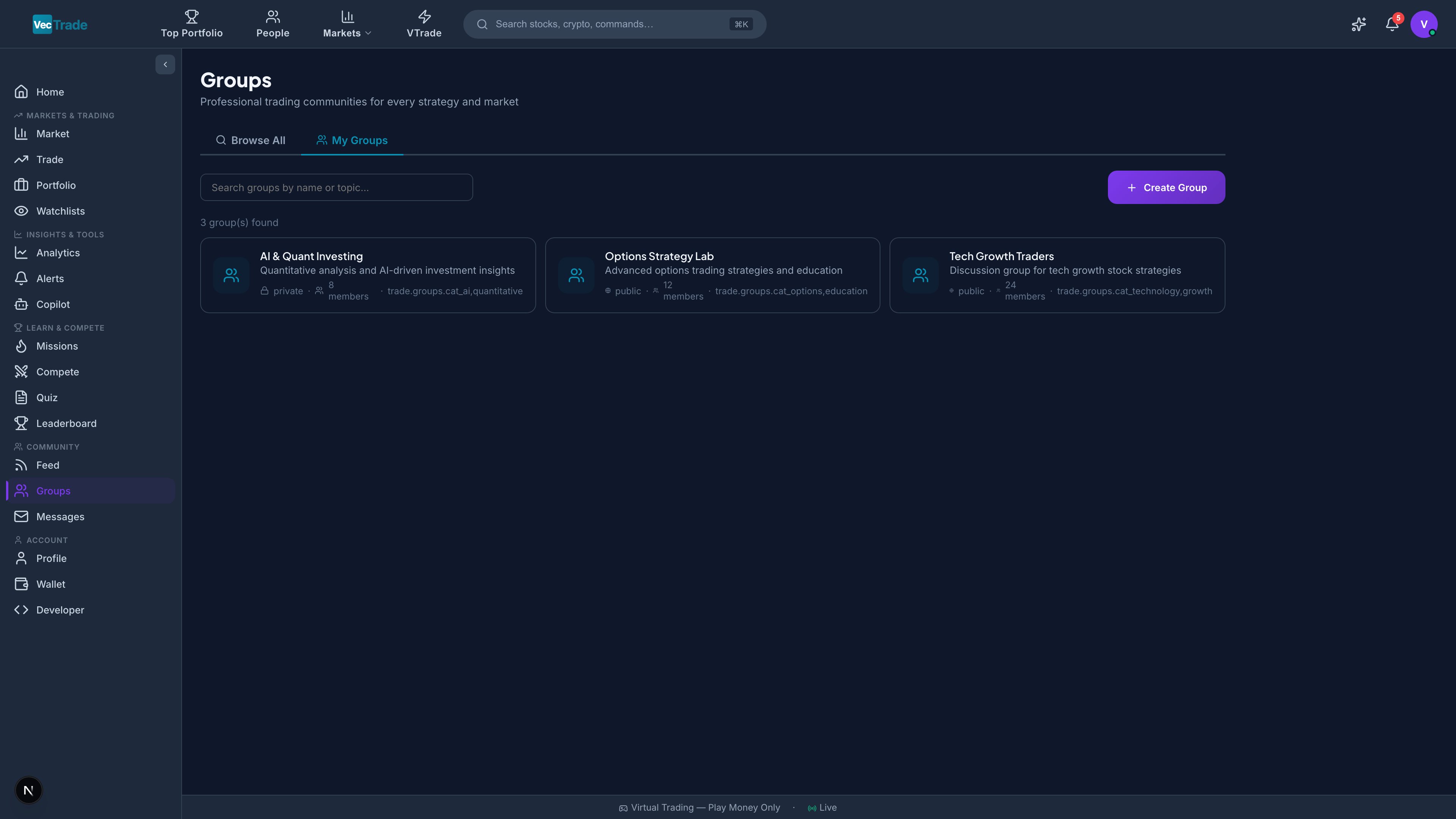
The My Groups tab shows all groups you are a member of:
- Group name, description, and member count
- Unread post count (badge)
- Last activity timestamp
- Your role (Member / Moderator / Admin)
Creating a Group
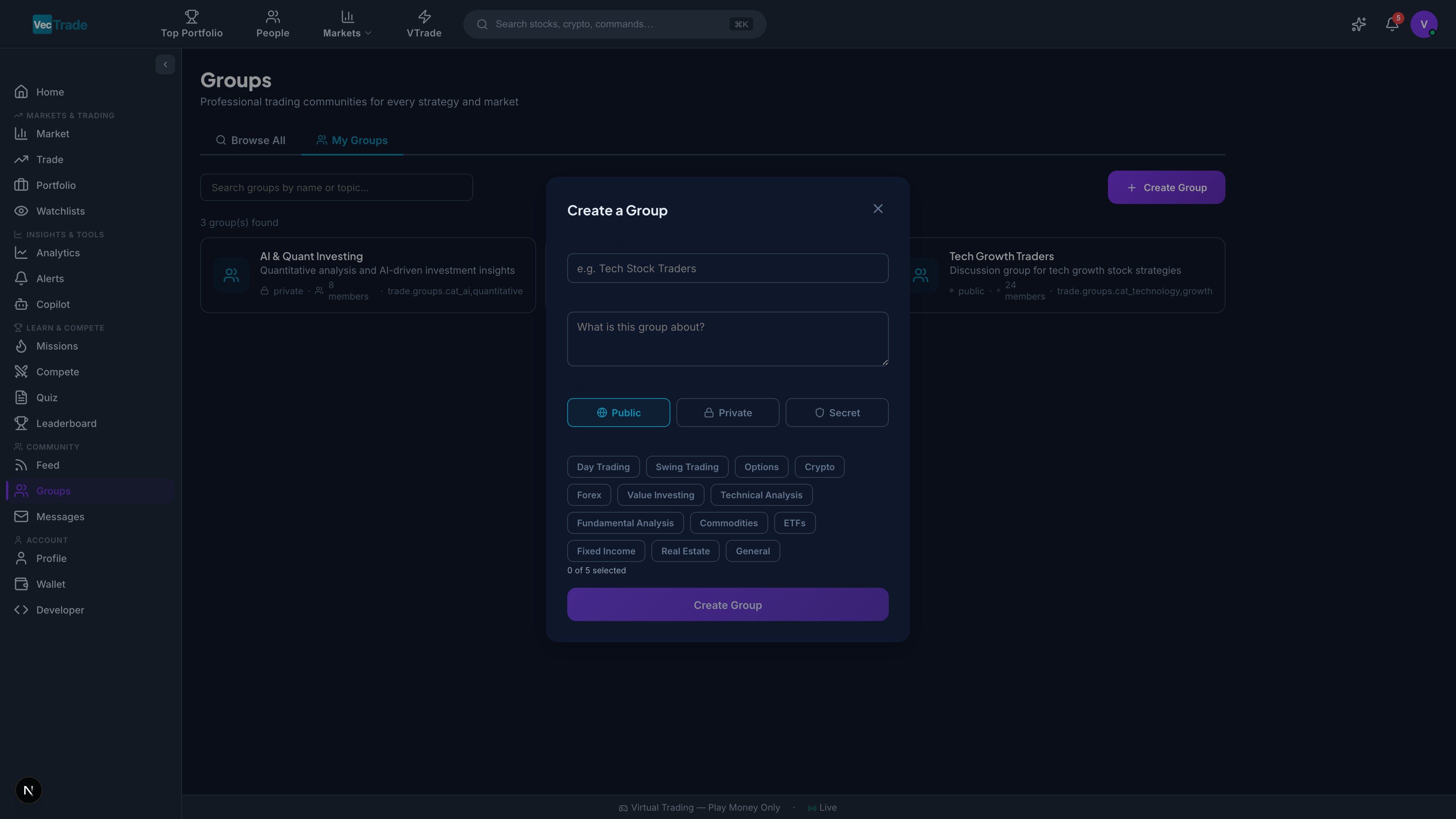
- Click + Create Group
- Configure the following:
| Field | Description | Required |
|---|
| Name | Group display name (3–50 characters) | ✓ |
| Description | Purpose and focus (up to 500 characters) | ✓ |
| Type | Public / Private / Secret | ✓ |
| Category | Select from the 13 categories above | ✓ |
| Cover Image | Banner image (recommended 1200×400px) | Optional |
| Rules | Community guidelines specific to this group | Recommended |
| Tags | Additional keywords for discoverability | Optional |
- Click Create — the group is live immediately
Group Administration
As a group admin or moderator, you have access to:
| Capability | Description |
|---|
| Approve/Reject Join Requests | For Private groups — review pending membership requests |
| Remove Members | Revoke membership (with optional ban to prevent rejoin) |
| Mute Members | Temporarily restrict posting ability (1hr / 24hr / 7 days / permanent) |
| Pin Posts | Pin important announcements to the top of the group feed |
| Edit Group Info | Update name, description, rules, cover image |
| Invite Users | Send direct invitations to specific users |
| Promote to Moderator | Grant moderation permissions to trusted members |
| Promote to Co-Admin | Grant full administrative permissions |
| Transfer Ownership | Designate a new primary admin |
| Delete Group | Permanently remove the group and all its content |
Competitions
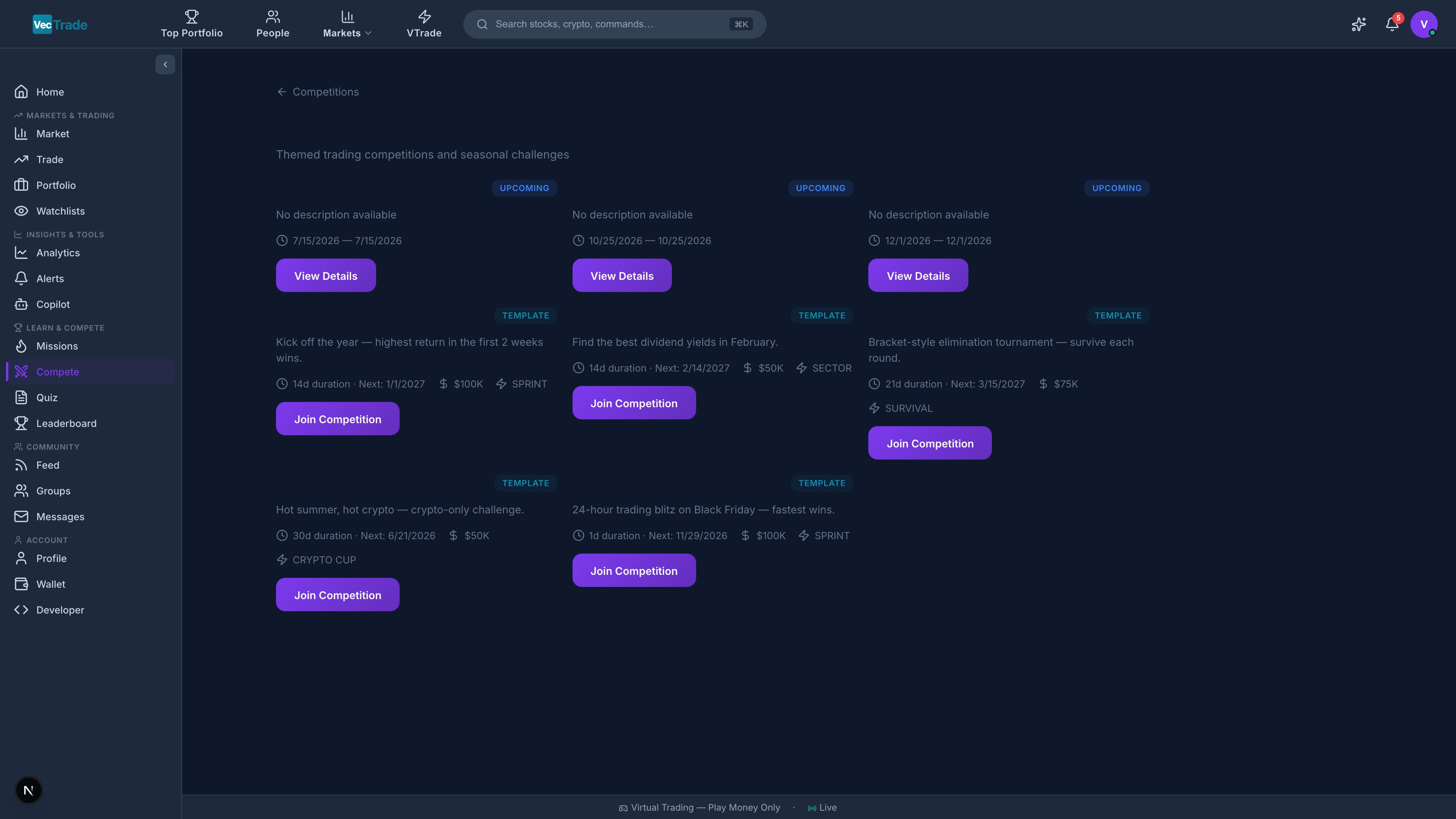
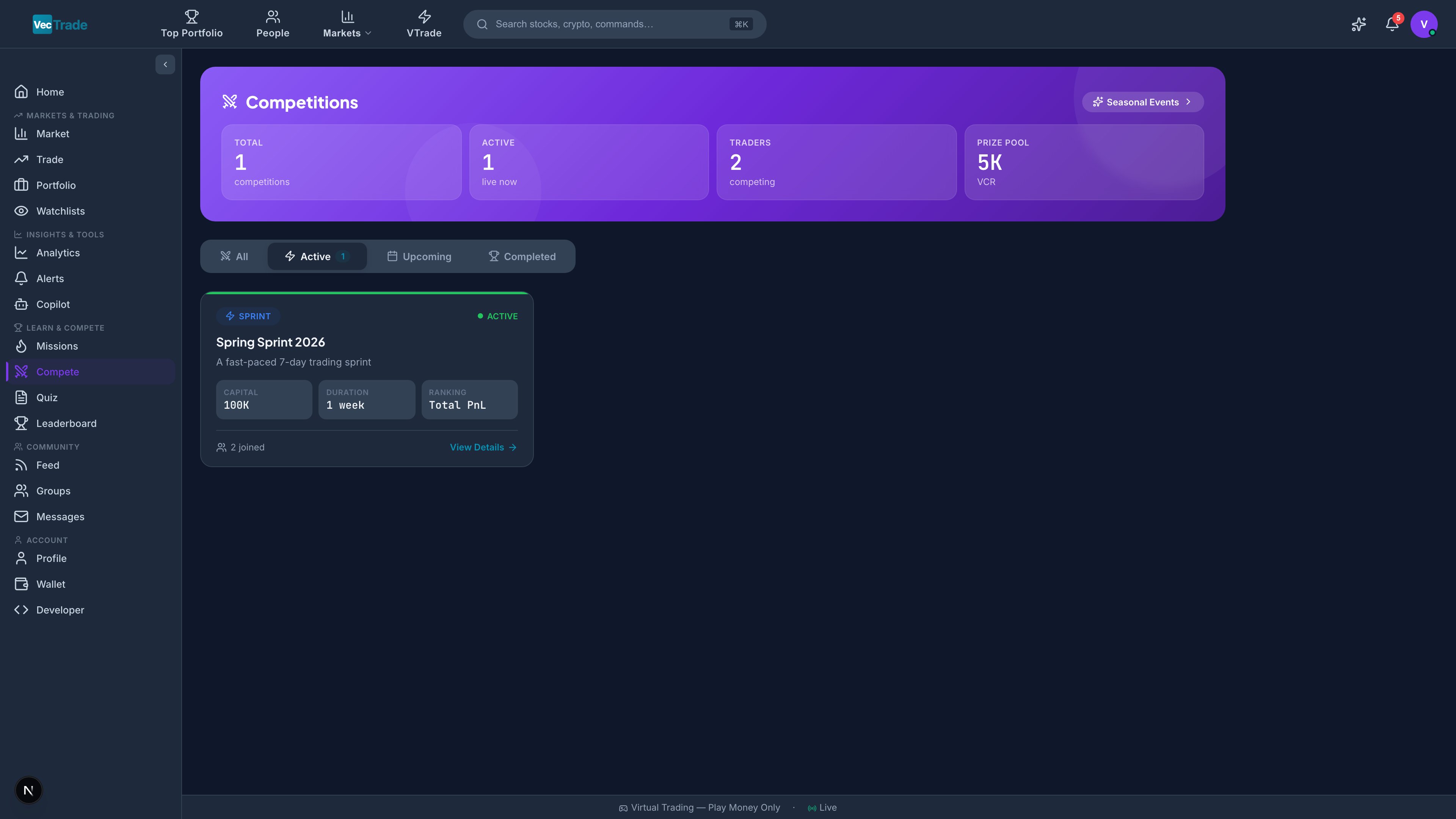
Competitions are structured, time-limited trading tournaments where participants compete under defined rulesets for prizes and recognition. They add a competitive dimension to your trading practice and provide clear performance benchmarks.
| Format | Winning Criteria | Description |
|---|
| Best Return | Highest total return % | Classic performance contest |
| Risk-Adjusted | Highest Sharpe Ratio | Rewards consistent risk management over raw returns |
| Lowest Drawdown | Smallest max drawdown (with min return threshold) | Capital preservation focus |
| Sector Sprint | Best return within a single sector | Restricted to one sector (e.g., “Tech Only”) |
| Long-Only | Best return without short selling | No shorting permitted |
| Options-Only | Best return using only options strategies | Options contracts exclusively |
| Day Trading | Best return with mandatory flat EOD | All positions must close before market close |
| Dividend Harvest | Highest total dividends collected | Income-focused strategy |
| Solo Challenge | Beat a target return (no ranking) | Personal goal achievement |
| Team | Combined team performance | 2–5 member teams; aggregate returns |
Seasonal Championships
Major quarterly championships running 13 weeks with elevated prizes:
- Q1 Championship (January – March)
- Q2 Championship (April – June)
- Q3 Championship (July – September)
- Q4 Championship (October – December)
Seasonal competitions have higher entry standards, larger prize pools, and exclusive seasonal badges.
Competition Lifecycle
| Phase | Description |
|---|
| Announced | Competition visible with rules, dates, and prize information |
| Registration Open | Users can join (entry may require minimum level or VCR deposit) |
| Active | Trading window open — all trades within the competition portfolio count |
| Completed | Trading window closed — final rankings calculated |
| Prizes Distributed | Winners credited with prizes (VCR, badges, XP multipliers) |
Joining a Competition
- Navigate to VTrade → Competitions
- Browse Active (in progress, you can still join) or Upcoming (not yet started)
- Review the competition card: format, duration, rules, prize pool, current participants
- Click Join — read and accept the rules
- Trade normally during the competition window — all qualifying trades automatically count
Rules & Constraints
Each competition defines its own ruleset. Common constraints include:
| Rule Type | Examples |
|---|
| Asset restrictions | ”US equities only”, “No crypto”, “ETFs only” |
| Position limits | ”Max 10 concurrent positions”, “No single position > 20%“ |
| Minimum activity | ”At least 5 trades during the competition” |
| Leverage restrictions | ”No margin” or “Max 1.5× leverage” |
| Holding periods | ”Minimum 1-hour hold time” |
Carefully read all competition rules before joining. Rule violations (detected automatically) result in disqualification without refund of any entry deposit.
Prize Structure
| Placement | Typical Rewards |
|---|
| 🥇 1st Place | VCR bonus (50,000–500,000), Gold badge, 2× XP multiplier (7 days), Featured on leaderboard |
| 🥈 2nd Place | VCR bonus (25,000–250,000), Silver badge, 1.5× XP multiplier (7 days) |
| 🥉 3rd Place | VCR bonus (10,000–100,000), Bronze badge, 1.25× XP multiplier (3 days) |
| Top 10 | VCR bonus (5,000–50,000), Participant badge |
| All Participants | Competition participation badge (seasonal competitions only) |
Messages
Navigate to VTrade → Messages for private communications with other traders. The messaging system supports one-on-one conversations, group chats, and rich content sharing — enabling direct collaboration and idea exchange.
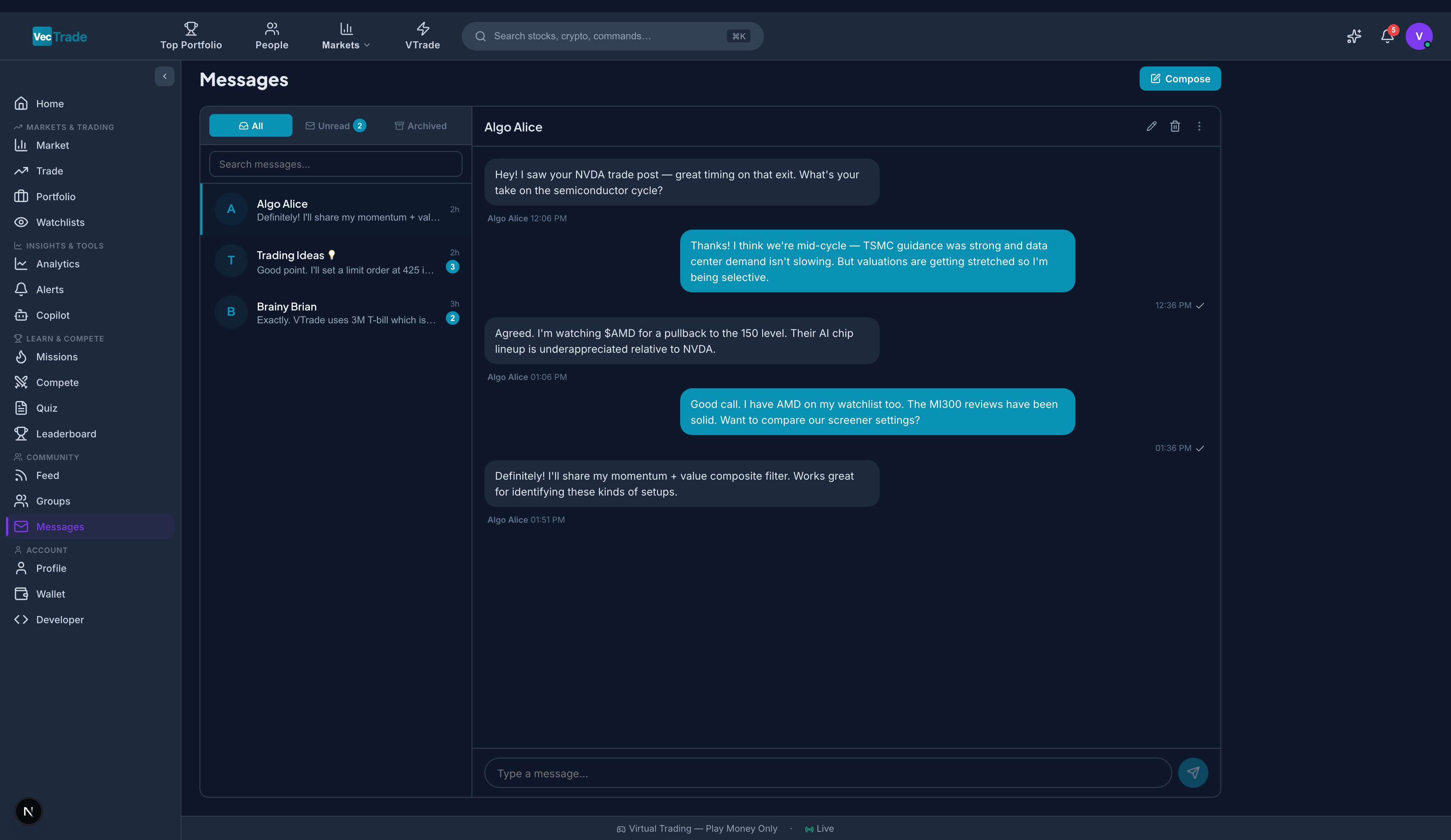
Messaging Capabilities
| Feature | Description |
|---|
| Direct Messages (1:1) | Private conversation between two users |
| Group Chats | Multi-participant conversations (up to 50 members) |
| Rich Content | Text, images, ticker mentions ($AAPL), links with preview cards |
| Read Receipts | Blue checkmarks indicating message has been read |
| Online Status | Green dot (online), yellow dot (idle), grey (offline) |
| Typing Indicator | ”User is typing…” shown in real-time |
| Message Search | Full-text search within a conversation |
Starting a Conversation
- Click + Compose at the top of the messages panel
- Search for one or more usernames in the recipient field
- For 1:1: select a single recipient
- For group chat: select multiple recipients and assign a group name
- Type your message and send
Message Management
| Action | Description |
|---|
| Mute | Silence notifications from a conversation (messages still accumulate) |
| Block | Prevent a user from sending you messages (they see “message not delivered”) |
| Report | Flag abusive or spam messages for moderation review |
| Delete | Remove a conversation from your inbox (other participant retains their copy) |
| Pin | Pin a conversation to the top of your message list |
| Archive | Move to archive (accessible via filter toggle, not deleted) |
Notifications
The bell icon (🔔) in the top navigation bar displays your unread notification count. Click to expand the notification panel showing categorized alerts from across the platform.
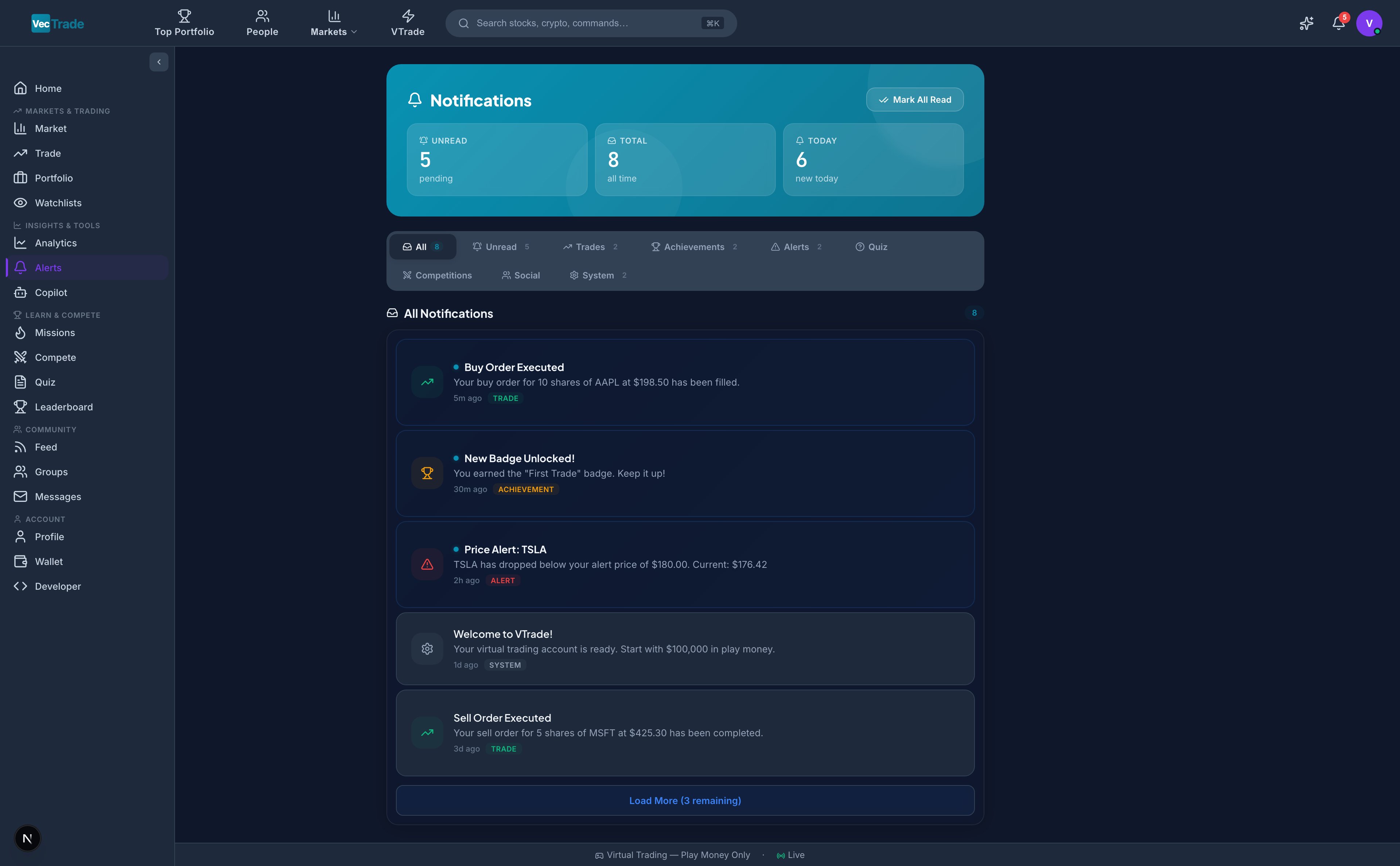
Notification Categories
| Category | Trigger Events |
|---|
| Social | New follower, post liked, comment received, mentioned in a post, repost |
| Trading | Order filled, order cancelled/rejected, position P&L alert, margin warning |
| Competition | Contest started, rank change (up or down), competition ended, prize awarded |
| System | Scheduled maintenance, new feature announcement, security alert, ToS update |
| Group | New post in your group, join request (if admin), member joined/left |
| Copilot | Recommendation generated, thesis update available, catalyst triggered |
| Price Alerts | Watchlist alert triggered (price/volume/percentage condition met) |
Notification Management
| Action | Description |
|---|
| Mark as Read | Click individual notification or “Mark All as Read” |
| Filter by Category | Tab filter to show only specific notification types |
| Dismiss | Swipe or click × to remove individual notifications |
| Settings | Link to notification preferences (configure delivery channels) |
Profile
Your profile is your public identity on VTrade. It showcases your trading track record, achievements, and social presence — serving as your professional trading resume within the community.
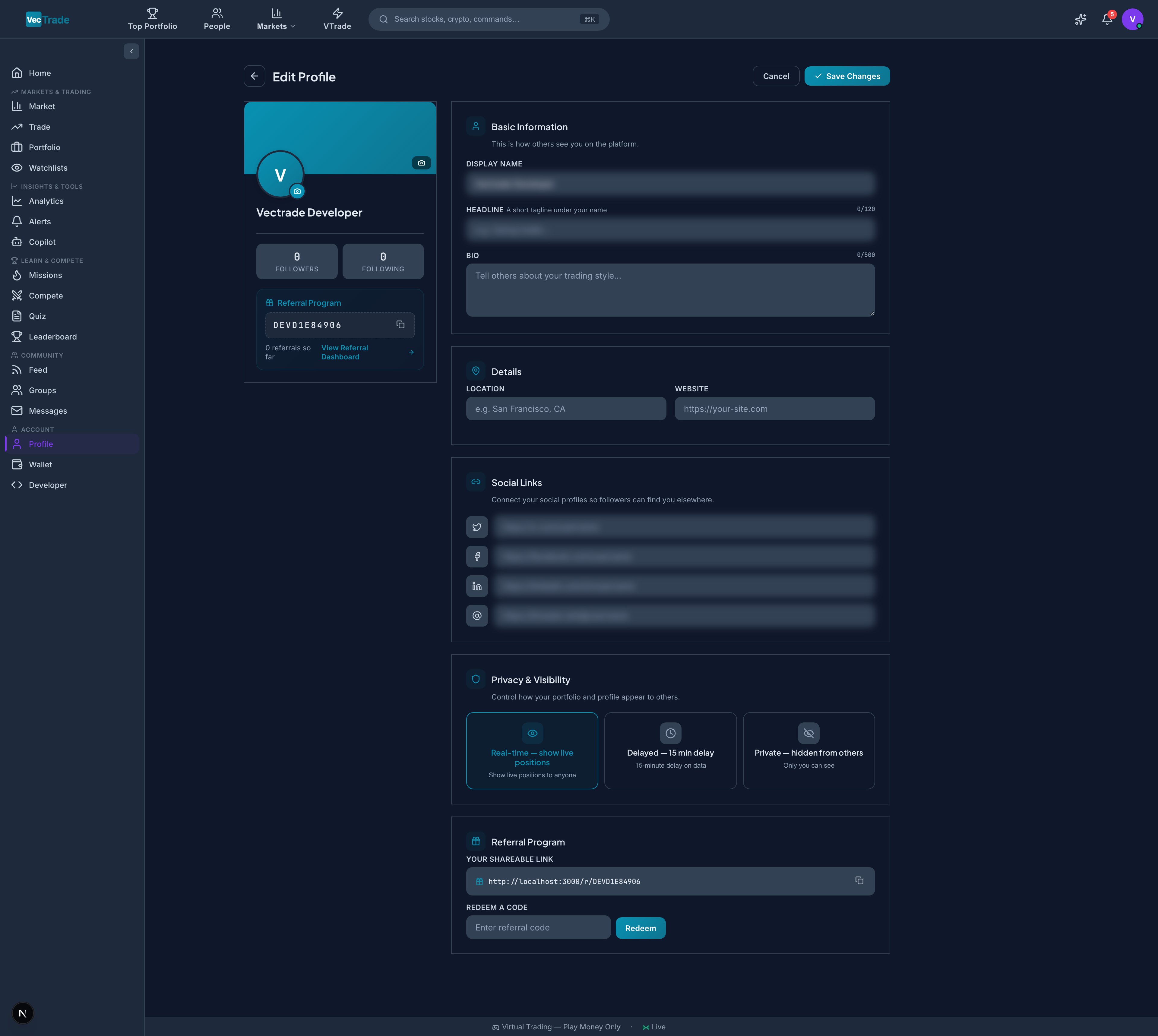
Profile Customization
Navigate to your profile via avatar click or VTrade → Profile:
| Field | Description | Visibility |
|---|
| Display Name | Public-facing name (2–30 characters) | Always public |
| Username | Unique @handle for mentions and search | Always public |
| Avatar | Profile photo (upload or select generated) | Always public |
| Bio | Short description of trading philosophy/style (200 characters) | Always public |
| Social Links | Twitter/X, Discord, YouTube, personal website URLs | Public (optional) |
| Country | Country of residence (shows flag on profile) | Public (optional) |
Privacy & Visibility Controls
| Setting | Options | Default |
|---|
| Profile Discoverable | Visible in People search and suggestions / Hidden | Visible |
| Show Positions | Display open positions publicly / Hide all positions | Hidden |
| Show Returns | Display performance metrics publicly / Hide returns | Visible |
| DM Permissions | Accept from Everyone / Followers Only / Nobody | Everyone |
| Activity Visibility | Show trading activity in feed / Private activity | Public |
Badges & Achievements Display
Your profile prominently showcases earned badges organized by category:
| Badge Category | Examples |
|---|
| Level Badge | Current XP level (auto-updates, always displayed) |
| Competition Badges | Gold/Silver/Bronze for podium finishes |
| Streak Badges | 7-day, 30-day, 100-day, 365-day trading streaks |
| Milestone Badges | First Trade, 100th Trade, 1000th Trade, First Million VCR |
| Seasonal Badges | Quarterly championship participation and placement |
| Skill Badges | Quiz mastery, Copilot power user, Community contributor |
| Profile Frames | Exclusive avatar borders for Legend-tier achievements |
Referral Program
Your profile includes a unique referral link. When someone registers using your link:
| Benefit | Recipient | Amount |
|---|
| Sign-up Bonus | New user (referee) | 50,000 VCR |
| Referral Reward | You (referrer) | 25,000 VCR |
| Achievement | You (referrer) | “Recruiter” badge (after 5 referrals) |
Referral statistics (total referred, total VCR earned from referrals) are visible on your profile dashboard.